
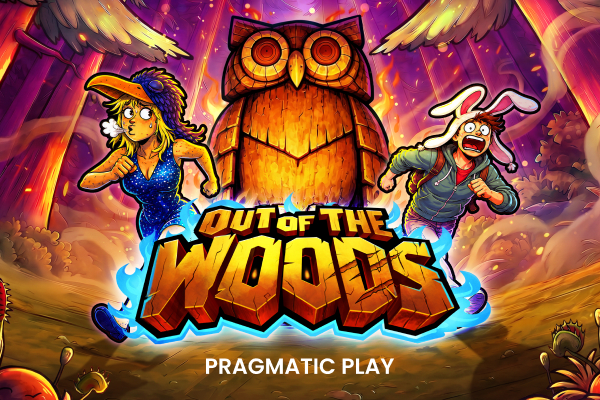
Can You Play Out of the Woods on Mobile?
Yes. Out of the Woods runs in your mobile browser without any app download at all. Pragmatic Play builds its slots in HTML5, which means the game loads and plays directly through Chrome, Safari, or Firefox on your phone. No install. No fuss.
It works on both Android and iPhone. The 5x4 grid scales cleanly to smaller screens, and the touch controls feel natural for spinning and adjusting your bet. You won't lose any features on mobile — the Multiplier Wild stacks, respins, and Free Spins all behave exactly as they do on desktop.
The only thing you actually need is an account with an operator that carries the game, a stable internet connection, and enough battery to survive a bonus round. That's it. If you want to get a feel for how it plays before spending real money, try the free demo on your phone first.
Browser vs Casino App vs APK
| Method | How it works | Pros | Risks | Best for |
|---|---|---|---|---|
| Mobile browser | Open your operator's site in Chrome or Safari, log in, find the game | No install needed, always up to date, works on any device | Slightly slower initial load on weak connections | Most players — lowest friction, lowest risk |
| Official operator app | Download from the App Store or Google Play, log in with your account | Faster load times, push notifications, sometimes smoother UI | Takes up storage; not all operators have an app | Players who use one operator regularly |
| Third-party APK | Download an installer file from a random website outside official stores | None worth mentioning | Malware, credential theft, fake versions, zero regulatory oversight | Nobody — avoid entirely |
For most people, the mobile browser is the right call. It's the simplest route, it carries no installation risk, and the game experience is nearly identical to any app version. If your preferred operator offers an official app through the App Store or Google Play, that's a reasonable upgrade. Anything outside those two options isn't worth the risk.
The Real Way to Play Out of the Woods on Mobile
There is no standalone Out of the Woods app. There never will be. Individual slot titles don't get their own apps — the game lives inside the operator's platform, whether that's a browser-based casino site or the operator's own mobile app. If you've seen something marketed as an "Out of the Woods app download," it isn't what it claims to be.
The correct approach is simple: pick an operator that carries the game, then either play through their mobile site or download their official app from a legitimate app store. Once you're inside the platform, you search for Out of the Woods in the game library and launch it from there. The game itself is served by Pragmatic Play's servers — the operator app is just the door you walk through.
The platforms available in Canada include 1Win, Stake, and Melbet. Each has its own mobile setup. Check the individual platform guides for specifics on how their apps or mobile sites work before you commit to one.
Why You Should Avoid APK Downloads
An APK is an Android installation file. When it comes from the Google Play Store, it's been reviewed and is generally safe. When it comes from a random site promising a casino game download, it's a different story. These files are frequently bundled with malware, keyloggers, or credential-stealing software. You might think you're installing a casino app. You're often installing something that reads your passwords.
Searches for "Out of the Woods mod APK" or "Out of the Woods hack APK" are a red flag in themselves. There's no mod that improves your odds. RNG-based slots don't have a backdoor you can exploit with a file download. Anyone offering one is either running a scam or distributing malicious software — sometimes both at once. The game's RTP is set at the server level by Pragmatic Play. No APK touches that.
If you're ever unsure whether an app or site is legitimate, the legitimacy check page covers the warning signs in detail. The short version: if it's not on the App Store or Google Play, and it's not the operator's official website, don't install it.
Playing on Mobile in Canada
Data usage for Out of the Woods is modest. Slot games aren't streaming video — once the assets load, the game mostly sends small packets of data back and forth. On a typical session you're looking at somewhere in the range of 5 to 15 MB, depending on how long you play and whether you're loading the game fresh each time. LTE or 5G handles this easily. Even a decent 4G connection works fine in most parts of Canada.
Connection drops are worth thinking about, especially if you play in areas with patchy coverage. The good news is that your spin outcome is determined server-side the moment you hit spin. If your connection cuts out mid-animation, the result is already locked in. When you reconnect, the game will either resume the animation or show you the settled outcome. You won't lose a winning spin because your signal dropped.
That said, playing on an unstable connection is annoying at best and potentially confusing at worst. WiFi is the most reliable option. If you're on mobile data, LTE or better gives you a smooth experience. Avoid starting a session if you know your signal is weak — not because you'll lose your spin result, but because a choppy connection makes it hard to track what's happening on screen, especially during the Free Spins feature when multipliers are stacking.
Before Installing Anything
- Verify that the operator holds a valid licence from a recognized regulatory body — in Ontario, that means registration with iGaming Ontario under the AGCO framework.
- Download apps only from the official App Store (iOS) or Google Play Store (Android) — never from links in emails, ads, or third-party download sites.
- Skip any APK file that isn't from the operator's own verified website, and even then, treat it with caution.
- Check the permissions an app requests during install — a casino app doesn't need access to your contacts, microphone, or camera.
- Don't install any add-on, extension, or tool claiming to be a predictor, signal generator, or auto-spin bot for Out of the Woods. These don't work and are often malicious.
- Confirm the app publisher name matches the operator exactly before installing — fake apps often use near-identical names with one character changed.
Mobile Access by Platform
1Win
1Win offers a mobile-optimized site that loads Out of the Woods without any app install required, and they also provide an Android APK through their official site for players who prefer a dedicated app experience.
Stake
Stake runs entirely through the browser on mobile — the site is well-optimized for phones, and Out of the Woods loads quickly without any separate download needed.
Melbet
Melbet has both a mobile browser version and official apps available through their site, giving you a couple of options depending on your device and preference.